
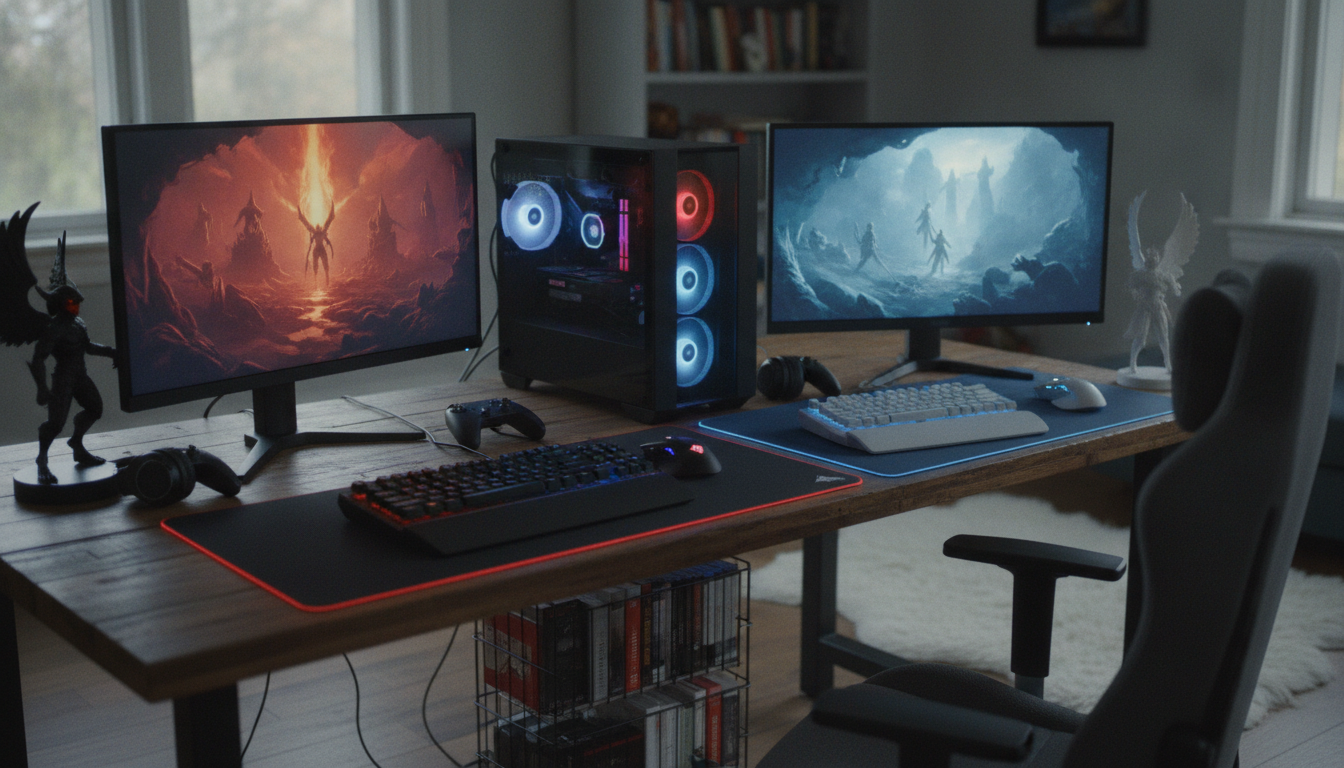
Battle.net vs Steam for Diablo 4: Which Launcher Should You Actually Buy It On?
Table of Contents
- Battle.net vs Steam for Diablo 4: The Short Answer
- License Lock-In: Why Diablo 4 Expansions Cannot Be Mixed Across Launchers
- Cross-Progression and Cosmetics: What Actually Follows Your Account
- Performance, Steam Deck and Linux: The One Place the Versions Genuinely Diverge
- Where the Diablo 4 Player Base Actually Lives in 2026
- Pricing, Sales and Where Your Money Goes
- PTR Access, Launcher Features and Blizzard's 2026 Platform Strategy
- Which Launcher Should You Actually Buy It On?
- Frequently Asked Questions
- Limitations, Alternatives and What We Could Not Verify
- Conclusion
- References
- Related Reading
Key Takeaway
>
Battle.net vs Steam for Diablo 4 comes down to one irreversible decision: expansion licences are locked to the storefront where you bought the base game. Buy on Steam if you play on a Steam Deck, a Linux handheld, or you want a single unified library, because Valve’s pre-cached shader delivery removes most of the stutter handheld players report with the Battle.net client. Buy on Battle.net if you want Public Test Realm access, already own the base game there, or prefer that Blizzard keep the roughly 30% Valve takes on a Steam sale. Characters, progression and cosmetics are account-bound and follow you either way.
Diablo 4‘s 2026 resurgence — driven by the Lord of Hatred expansion and Season 15, “Season of Hell’s Legacy” — has pushed the Battle.net vs Steam for Diablo 4 question back to the top of PC buying decisions, because getting it wrong costs you a full re-purchase rather than a minor inconvenience. Blizzard ties expansion entitlements to the storefront that holds the base-game licence. Consequently, a player who owns the base game on Battle.net and then buys the expansion on Steam ends up holding two licences that do not combine into a playable package. This guide resolves the six variables that genuinely differ: licensing, cross-progression, Steam Deck performance, player population, pricing, and PTR access. Platform figures below are a mix of Blizzard confirmations, Valve’s published Steam concurrency data, and community extrapolation — each one is labelled so you can see which is which.
About the author
>
Written by the TrueOrGame editorial desk, which covers PC storefronts, handheld hardware and live-service seasonal content. Our standard separates vendor-confirmed statements from community reports, an approach informed by the Society of Professional Journalists’ 2026 proposed ethics revisions for the AI age, as covered by Nieman Journalism Lab (Harvard University).
TrueOrGame – Video Game News, Leaks, Reviews & Guides
Transparency
>
No affiliate arrangement, storefront partnership or platform revenue influenced the recommendation in this article. We disclose this explicitly because peer-reviewed work on funding-related bias — including 2026 analysis published in International Gambling Studies via Taylor & Francis Online — demonstrates how financial interests distort reporting on consumer purchases.
Battle.net vs Steam for Diablo 4: The Short Answer
Three things decide this purchase: where you will install expansions, whether you play on a Steam Deck or Linux, and whether you need Public Test Realm access. Everything else is close to identical, because both clients pull the same build from the same Blizzard servers.
Desktop performance and feature sets converge for a structural reason. The Steam release ships the same executable and the same assets as the Battle.net release, authenticates through a linked Blizzard account, and connects to Blizzard’s live service for seasons, matchmaking and the in-game shop. As a result, no gameplay feature is storefront-exclusive, and seasonal content arrives on both stores on the same day.
| Factor | Battle.net | Steam |
|---|---|---|
| Expansion purchases (Lord of Hatred, Vessel of Hatred) | Battle.net only | Steam only |
| Public Test Realm (PTR) access | Yes | No |
| Steam Deck status | Runs via Proton, community-reported stutter | Deck Verified |
| Shader pre-caching | Not stated | Valve-hosted pre-cached shaders |
| Achievements / playtime tracking | In-game challenges | Steam achievements and playtime |
| Blizzard account required | Yes | Yes |
| Cross-progression with console | Full | Full |
| Share of PC player base | Estimated 80–90% | Estimated 10–20% |
Only one choice here cannot be undone without spending money twice: the storefront that holds your base-game licence. That is where the real risk sits, so it is worth understanding exactly how the entitlement system behaves.
License Lock-In: Why Diablo 4 Expansions Cannot Be Mixed Across Launchers
Expansions must be purchased on the same storefront as the base game. Blizzard issues the expansion entitlement against the storefront licence rather than against the Blizzard account itself, which means a Steam-purchased expansion will not unlock content on a Battle.net installation of the base game, and the reverse holds true as well.
The financial consequence of migrating is blunt. Moving from Battle.net to Steam requires re-buying the base game and every expansion you already own, resulting in a double spend that even a deep seasonal discount does not offset. For existing owners, therefore, Battle.net vs Steam for Diablo 4 is not a launcher-quality question at all — it is a sunk-cost question, and the economically rational move for anyone with an established library is to stay where they are.
| Base game owned on | Expansion must be bought on | If you buy on the other store | Cost to switch stores |
|---|---|---|---|
| Battle.net | Battle.net | Expansion does not unlock content | Base game + all expansions again |
| Steam | Steam | Expansion does not unlock content | Base game + all expansions again |
| Console (PlayStation/Xbox) | Same console ecosystem | Not usable on that console | Full PC purchase required |
| No purchase yet | Either — decide now | Not applicable | None |
Before you check out, read the store page carefully and note the refund window. The U.S. Federal Trade Commission publishes ongoing guidance on truthful advertising and consumer rights in digital commerce, and its core principle applies directly here: material conditions on a purchase should be clearly disclosed to the buyer. Platform lock-in is exactly that kind of condition. If you buy the wrong version, request the refund immediately rather than after you have launched and played, because both storefronts weight eligibility against playtime.
Cross-Progression and Cosmetics: What Actually Follows Your Account
Characters, levels, stash, battle pass progress and cosmetics are tied to your Blizzard account and are shared across Battle.net, Steam and consoles. Steam sessions still authenticate through a linked Blizzard account, so your save data never lives on the storefront at all. The effect of that architecture is that launcher choice has no bearing on progression.
This is the distinction that community threads routinely blur: progression is portable, licences are not. You can switch stores and still see every character you have ever levelled — you simply have to pay for the software again to reach them from the new client.
What Transfers Between Battle.net and Steam
- Characters, levels, Paragon boards and skill setups
- Stash contents and seasonal journey progress
- Earned cosmetics and transmogs
- Shop-purchased cosmetics and battle pass tiers
- Friends list and clan membership via the Blizzard account
- Not transferred: base game and expansion licences, which stay on the storefront of purchase
- Not transferred: Steam achievements, which unlock only on the Steam build
Performance, Steam Deck and Linux: The One Place the Versions Genuinely Diverge
On desktop PCs the two versions perform identically; on Steam Deck the Steam version is Deck Verified and benefits from Valve’s pre-cached shaders, which reduces traversal stutter. If you play on a Windows desktop, discount performance entirely from this comparison — the executable and assets are the same, so frame rates track your hardware rather than your launcher. For that audience, our best GPU picks for demanding 2026 releases matter far more than the storefront logo.
Handheld play is where the causal chain splits. The Steam build carries Deck Verified status out of the box and pulls shader caches compiled on Valve’s servers, which means the Deck skips most local shader compilation and the micro-stutter that compilation produces during traversal and boss transitions.
The Battle.net version runs on Deck and desktop Linux through Proton-based compatibility layers, but the launcher itself stays resident, consuming memory and CPU cycles behind the game. Steam Deck users frequently report micro-stutter as a result. We label this as community-reported rather than vendor-confirmed: these are user accounts from Reddit and Steam community threads, not controlled benchmarks. Work on replication standards such as eLife Sciences’ 2026 analysis of replication success metrics is a useful reminder that individual reports need reproduction across hardware, storage speed and driver versions before they are treated as a measured gap.
Client overhead carries more weight on constrained hardware than on a desktop, which is the practical reason a lightweight, standards-aligned client matters on a 15W handheld. The design and performance principles published by Digital.gov (U.S. General Services Administration) make the same argument for digital services generally: efficiency and accessibility degrade fastest on the weakest device in the chain. Readers weighing a handheld-first purchase will find more context in our gaming PC and handheld setup guides.
Handheld and Linux Buying Checklist
Best Co-op Games for Couples Archives – TrueOrGame
- Steam Deck or Steam Deck OLED as your primary device — buy on Steam
- ROG Ally or Legion Go running Windows — either store works; Steam still wins on library and controller layouts
- Desktop Linux with Proton — the Steam build avoids running the Battle.net client inside the compatibility layer
- Windows desktop only — performance is equivalent; decide on licences and PTR instead
- Playing on both desktop and Deck — Steam gives you one install path and one cloud-synced controller config
Where the Diablo 4 Player Base Actually Lives in 2026
Steam accounts for an estimated 10–20% of Diablo 4‘s PC player base, because the game was Battle.net-exclusive for its first four months and only reached Steam during Season 2. Those four months built an installed base on Blizzard’s native client that had no financial reason to migrate afterwards — the licence lock-in described above actively penalises moving. Consequently Steam’s share remains a minority despite record-setting 2026 numbers.
| Metric | Figure | Date | Confirmed or estimated |
|---|---|---|---|
| All-time Steam concurrent peak | 64,518 players | May 2026 | Confirmed (Steam public data) |
| Season 15 Steam concurrent peak | Over 64,000 players | September 2026 | Confirmed (Steam public data) |
| Steam share of PC player base | 10–20% | 2026 | Community estimate |
| Combined PC concurrent players | 300,000–500,000 | 2026 | Community estimate |
| Battle.net exclusivity at launch | 4 months | 2023 | Confirmed |
The May 2026 peak landed inside the Lord of Hatred launch window; the September surge tracked Season 15. Both are measurable because Valve publishes concurrency. The 300,000–500,000 combined figure is not measurable in the same way — it is an extrapolation built by applying the estimated Steam share to Valve’s number, and Blizzard publishes no Battle.net concurrency against which to test it.
For your purchase, the practical consequence is reassuring: matchmaking, trade and world-boss population run server-side and are shared across both clients, so the launcher split does not thin out your groups or slow your queues.
We graded each figure above using the Currency, Relevance, Authority, Accuracy, Purpose criteria set out in the CRAAP source-evaluation framework hosted by the Canadian Association of Research Libraries, and we declined to present the extrapolation as fact. That caution mirrors the argument in 2026 commentary in Clinical Infectious Diseases (Oxford Academic) on the perils of circulating non-peer-reviewed figures without methodology: a number without a stated method is a guess wearing a decimal point.
Pricing, Sales and Where Your Money Goes
Diablo 4 is priced identically on Battle.net and Steam. During the September 2026 BlizzCon promotional period, both stores cut the base game by 75%, taking it to a historic low of $12.49, because Blizzard sets the headline price and the discount schedule for both storefronts simultaneously.
One exception deserves attention: bundle composition sometimes differs. A Battle.net-exclusive or Steam-exclusive bundle occasionally packages different cosmetics or expansion combinations at the same price tier, so open both store pages on the same day and compare line items rather than headline percentages. FTC guidance on truthful advertising sets the standard we apply when reviewing these listings — what is in the box should be legible before checkout, not after.
The revenue argument is the one philosophical difference. Valve retains roughly 30% of a Steam sale, which means a Battle.net purchase sends the full amount to Blizzard. Treat that as a values decision, not a feature difference, since it changes nothing you can see in-game. Blizzard’s own position supports that framing: in a September 2026 interview, Blizzard SVP Andrew Guerrero stated that Battle.net is meant to co-exist with Steam rather than rival it — which is why Blizzard continues selling on both, and has begun hosting third-party titles on its own client. For broader context on where storefront economics are heading, see our analysis of how game pricing is shifting across storefronts.
PTR Access, Launcher Features and Blizzard’s 2026 Platform Strategy
Public Test Realm access for Diablo 4 is exclusive to the Battle.net client, so season testers must own the game on Battle.net. The Season 16 PTR that ran in late October 2026 was reachable only through Blizzard’s client; therefore build-testers, theorycrafters and guide writers have no real storefront choice at all.
The reason is infrastructural rather than political. Blizzard hosts its PC test environments natively, and standing up a parallel test branch on Steam would duplicate patching and version-control infrastructure for a comparatively small audience.
That sits inside a wider strategy. Battle.net now hosts third-party titles including CD Projekt’s Cyberpunk 2077 and The Witcher 3, yet Blizzard explicitly positions the client as co-existing with Steam rather than competing with it. Consequently, neither storefront is a support risk.
Launcher-Specific Features
- Battle.net only: Public Test Realm builds for upcoming seasons
- Battle.net only: full purchase revenue to Blizzard, with no platform cut
- Steam only: Steam achievements, playtime tracking and Steam Cloud controller configs
- Steam only: Deck Verified rating and Valve-hosted pre-cached shaders
- Steam only: Steam refund policy and community reviews on the store page
- Both: Blizzard account linking, cross-progression, cross-play, and seasonal content on the same day
Parents buying an M-rated title should configure controls on whichever client holds the licence. The IEEE Standards Association’s online age verification certification programme outlines the technical standards storefronts are measured against in this area, and both clients expose parental control and spending-limit settings at the account level rather than the game level.
Which Launcher Should You Actually Buy It On?
For a brand-new buyer with no existing Diablo 4 library, buy on Steam. Shader pre-caching, Deck verification, a unified library and Steam’s refund window add value at no cost to gameplay, and the licence lock-in only becomes a constraint if you later decide you want PTR access.
That default is overridden in three cases: you test seasonal content, you already own the base game on Battle.net, or you want the full purchase amount to reach Blizzard. Any one of those settles it in Battle.net’s favour.
Buy on Steam If
- You play primarily on a Steam Deck or desktop Linux
- You want achievements, playtime and reviews consolidated in one library
- You value Steam’s refund window on a first-time purchase
- You share a household library and manage everything through Steam Families
- You do not own Diablo 4 anywhere yet
Buy on Battle.net If
- You want Public Test Realm access for upcoming seasons
- You already own the base game on Battle.net and need the expansion
- You want 100% of your spend to go to Blizzard rather than through Valve’s cut
- You already run other Blizzard titles such as World of Warcraft or Overwatch 2 through the client
- You are on a Windows desktop, where performance parity makes the launcher’s resource use largely irrelevant
One rule closes the Battle.net vs Steam for Diablo 4 debate ahead of all the rest: check where your base game already lives before you buy an expansion. That single check prevents the only unrecoverable mistake available in this comparison.
Frequently Asked Questions
Can I play Diablo 4 on Steam if I bought it on Battle.net?
No. The licence is tied to the storefront of purchase, which means the Steam client cannot authorise a Battle.net entitlement. To play through Steam you would need to re-buy the base game and every expansion you own. Your characters and cosmetics would still appear afterwards, because progression is account-bound rather than store-bound.
Do I need Battle.net installed to play Diablo 4 on Steam?
No separate Battle.net client is required, but a Blizzard account is. The Steam build launches directly and authenticates through a linked Blizzard account during first setup. Steam users therefore avoid keeping a second launcher resident in the background — the main reason handheld performance favours the Steam version.
Does cross-progression work between Steam and Battle.net?
Yes, fully. Characters, Paragon progress, stash, battle pass tiers and cosmetics live on the Blizzard account rather than the storefront, so they appear on Battle.net, Steam, PlayStation and Xbox. Only licences and Steam achievements remain platform-specific.
Can I buy the Lord of Hatred expansion on Steam if my base game is on Battle.net?
No — buy the expansion on the same store as your base game. A Steam-purchased expansion will not unlock content on a Battle.net installation, which means the purchase is wasted unless you also re-buy the base game on Steam. Check your library before checkout, and use the storefront’s refund window immediately if you buy the wrong version.
Can I transfer my Diablo 4 licence from Battle.net to Steam?
No transfer mechanism exists. Blizzard does not migrate entitlements between storefronts, so switching requires re-purchasing the base game and all expansions on the new store. The only thing that carries over at no charge is your account progression.
Which version of Diablo 4 runs better on Steam Deck?
The Steam version. It is Deck Verified and pulls pre-compiled shader caches from Valve’s servers, which removes most local shader compilation and the traversal stutter that compilation produces. The Battle.net version runs through Proton but keeps the launcher resident in memory, and Deck users widely report micro-stutter as a result. That stutter finding is community-reported, not vendor-confirmed.
Is Diablo 4 cheaper on Steam or Battle.net?
Prices match. Blizzard sets pricing on both stores, and during the September 2026 BlizzCon promotion each cut the base game 75% to a historic low of $12.49. Bundle contents occasionally differ, so compare both store pages on the same day before buying.
Can I access the Diablo 4 PTR on Steam?
No. Blizzard hosts PC Public Test Realm builds exclusively through the Battle.net client, including the Season 16 PTR in late October 2026. If testing upcoming seasonal content matters to you, that alone settles the purchase in Battle.net’s favour.
Do Steam achievements work for Diablo 4?
Yes, on the Steam version only. Steam achievements and playtime tracking unlock through the Steam build. Battle.net owners earn Blizzard’s in-game challenge rewards instead, and the two systems do not sync with each other.
Does the launcher I choose affect matchmaking or who I play with?
No. Matchmaking, world bosses, trade and clans run on Blizzard’s servers, which means Steam and Battle.net players share the same population and the same seasonal reset schedule — a pattern consistent across the live-service titles in our multiplayer game coverage. The split affects billing, not multiplayer.
Limitations, Alternatives and What We Could Not Verify
The combined PC concurrency range of 300,000–500,000 is a community extrapolation from Valve’s published Steam figures, not a Blizzard disclosure, because Blizzard does not publish Battle.net concurrency. Treat any single-number claim about Diablo 4‘s total player base with scepticism, regardless of how confidently it is presented.
Steam Deck stutter reports on the Battle.net build are user accounts gathered across Reddit and Steam community threads rather than controlled benchmark data. The size of the gap therefore varies with hardware revision, storage speed and GPU driver version, and we cannot quantify it.
Prices and bundle contents cited here reflect the September 2026 promotional window and change without notice. Verify both store pages on the day you buy.
Alternatives outside the two-launcher framing are worth considering, particularly if the licence lock-in makes you uneasy about committing.
Alternatives to Buying on Either PC Launcher
- PlayStation 5 or Xbox Series X|S purchase — full cross-progression, no launcher decision
- Subscription access where regionally available — test before committing to a storefront
- Cloud streaming — removes local hardware and shader-compilation concerns entirely
- Wait for the next seasonal sale — both stores discounted the base game 75% in September 2026
On method: we graded every figure against the CRAAP criteria, excluded unattributed aggregator numbers in line with the SPJ ethics revisions covered by Nieman Lab, and separated Valve’s published data from third-party multipliers for the reasons set out in the Oxford Academic commentary cited earlier. The same standard governs our verification methodology for leaks and unconfirmed figures.
Conclusion
New buyers and handheld players should take Steam; PTR testers and anyone with an existing Battle.net library should stay on Battle.net. Beyond that, one rule carries the entire financial risk of this decision: match the expansion to the storefront that holds your base game, and verify it in your library before checkout rather than after.
That is the whole of Battle.net vs Steam for Diablo 4 in practical terms. Blizzard’s stated co-existence strategy means both storefronts receive the same seasonal content on the same day, at the same price, from the same servers — so the choice turns on your hardware and your library, not on which client will still be supported next season.
For continuing verified coverage of Diablo 4 seasons, PTR cycles and PC storefront changes, follow our latest gaming headlines.
References
- Federal Trade Commission — guidance on truthful advertising and consumer rights in digital commerce: https://www.ftc.gov/
- Canadian Association of Research Libraries — CRAAP Test source-evaluation framework: https://casrai.org/guides/craap-test-evaluating-source-credibility
- Clinical Infectious Diseases (Oxford Academic), 2026 advance article — perils of non-peer-reviewed claims: https://academic.oup.com/cid/advance-article/doi/10.1093/cid/ciag403/8750979
- International Gambling Studies (Taylor & Francis Online), 2026 — funding-related bias in reporting: https://www.tandfonline.com/doi/full/10.1080/14459795.2026.2697453
- Digital.gov (U.S. General Services Administration) — digital service design and accessibility practice: https://digital.gov/
- IEEE Standards Association — online age verification certification programme: https://standards.ieee.org/beyond-standards/the-benefits-of-ieee-online-age-verification-certification-program/
- Nieman Journalism Lab (Harvard University), August 2026 — SPJ code of ethics revisions for the AI age: https://www.niemanlab.org/2026/08/the-society-of-professional-journalists-proposes-edits-to-its-code-of-ethics-for-the-ai-age/
- eLife Sciences, 2026 — replication success metrics: https://elifesciences.org/articles/109853
Related Reading



news via inbox
Leaks, release dates and reviews — straight to your inbox. No spam, unsubscribe any time.